Dashboard
See the schedule, what needs attention, recent activity, and business totals when you sign in.
 MODISPEC
MODISPEC OFFICE
The phone rings. You can see what is open, schedule the job, add the client and property, then get back to the work in front of you.
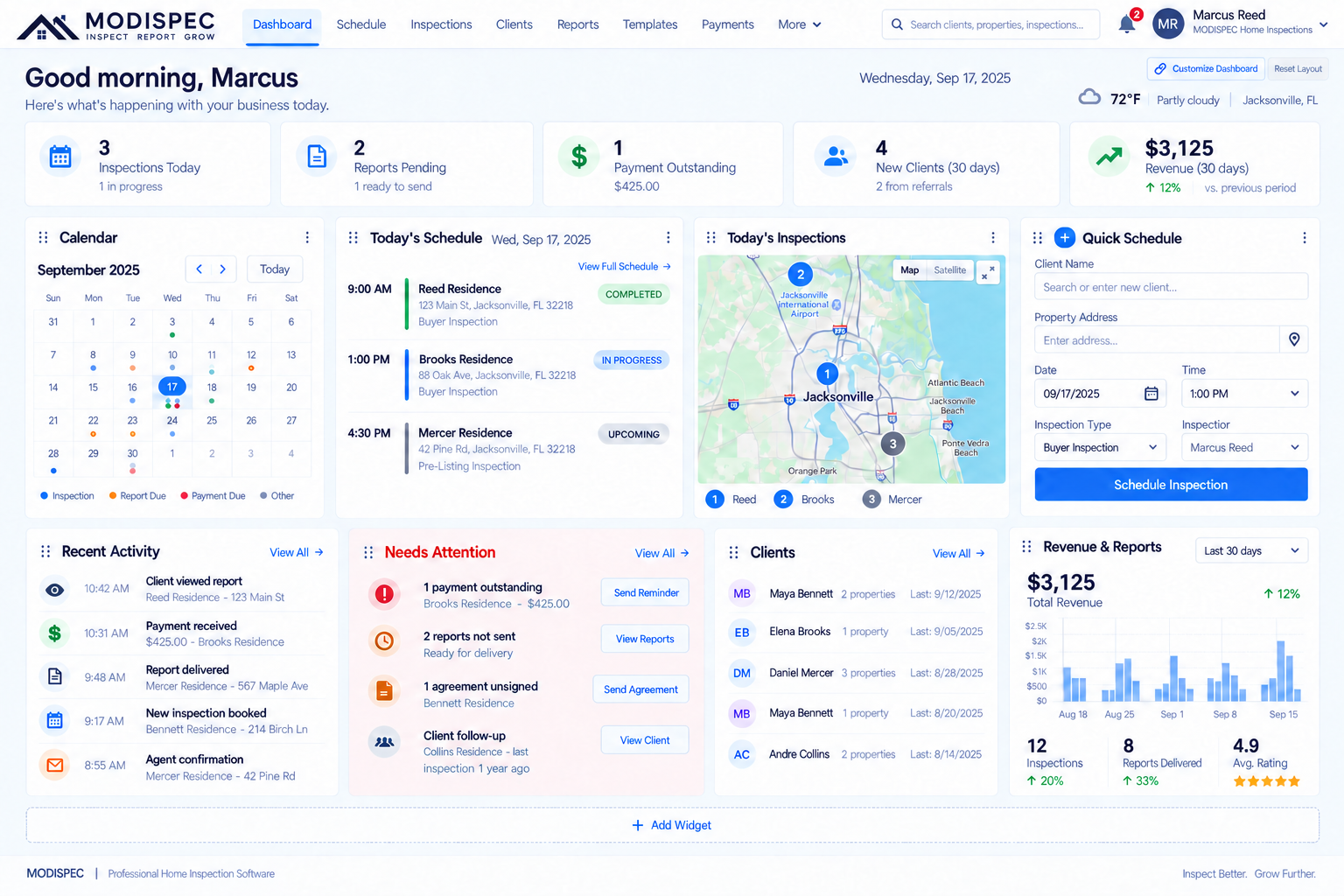
A single view of today’s schedule, business activity, clients, reports, and payments that need attention.
Office is where the day gets set up and followed through: from a call with a new client to a report sent after the inspection.
One business workspace.START WITH THE CALL
From Calendar, start a new inspection from the date you are discussing. Add or select the client, enter the property, choose services, and confirm the appointment using the same inspection workflow.
Use Calendar and the phone-call scheduling flow while the day’s appointments stay visible.
YOUR OFFICE WORKSPACE
MODISPEC keeps business work in focused spaces without turning the inspection itself into a spreadsheet.
See the schedule, what needs attention, recent activity, and business totals when you sign in.
See appointments, availability, and the day ahead. Start a schedule from a date when the phone rings.
Find the property, client, inspector, status, and inspection date in one working list.
Keep the people and properties that belong to a job together for the next call.
See the real business events that need attention now, are coming up, or happened recently.
Follow review, publishing, delivery, views, and invoice status where those records exist.
Manage the people who work in the workspace and keep assignments visible.
Use the right workspace for the job instead of digging through unrelated screens.
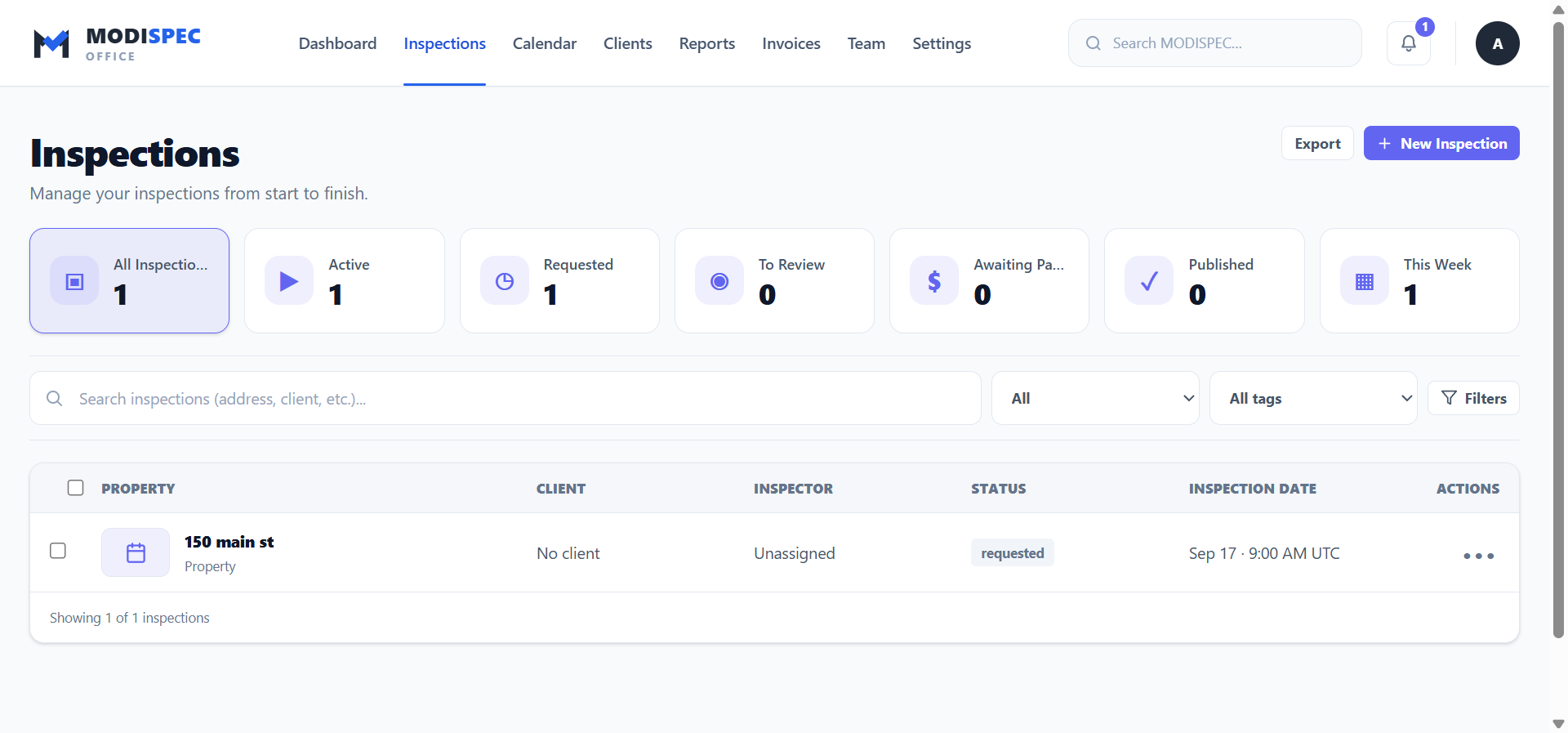
The inspections workspace keeps property, client, inspector, status, and date together.
KEEP THE THREAD
MODISPEC links the work that follows an appointment. You can return to the job, check the client, follow report activity, and see the next action without rebuilding the same information.
MODISPEC OFFICE
Keep the business side clear while the field work keeps moving.